Mastering Digital Design: A Guide to Laptop, Golden Hand and Lotus Flower Vector Assets
In the rapidly evolving world of digital creation, the quality of your source files often dictates the success of your final product. Whether you are a seasoned graphic designer working in Adobe Illustrator or a small business owner crafting invitations for a local event, understanding the technical nuances of your assets is crucial. This is particularly true when working with symbolic and intricate designs like the Laptop, Golden Hand and Lotus Flower collection. These elements are not just decorative; they carry significant visual weight and require precise handling to maintain their integrity across various media.
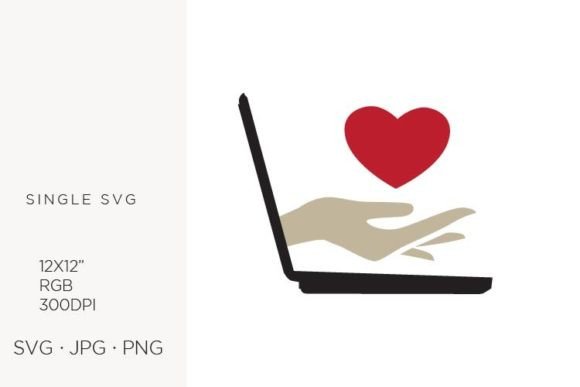
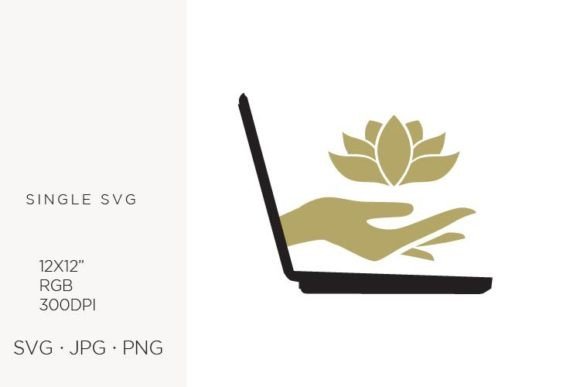
The appeal of this specific combination lies in its versatility. The laptop represents modern connectivity and work, the golden hand symbolizes skill, assistance, or value, and the lotus flower adds a layer of serenity, growth, or spiritual balance. When combined, they create a powerful narrative suitable for branding, wellness coaching, tech startups, or educational materials. However, many creators overlook the technical specifications required to make these vectors perform correctly, leading to frustrating results in print and on screen.
Understanding the Technical Foundation
Before diving into design applications, it is essential to understand what you are actually downloading. The files for the Laptop, Golden Hand and Lotus Flower set are created in a vector program, specifically Adobe Illustrator. This means the core data is mathematical, allowing for infinite scalability without loss of quality. The artboard size is set to 12 x 12 inches, with a resolution of 300 DPI and an RGB color palette. While this sounds straightforward, misconceptions about these specs are common pitfalls for beginners.
One frequent mistake is assuming that "vector" means the file will look perfect in any context without preparation. While the SVG format is indeed scalable, the accompanying JPG and PNG files are rasterized. If you intend to use the PNG for a large wall art print, relying on the default export settings can result in pixelation. The 300 DPI specification is critical for print quality, but it is often ignored by users who only view the images on low-resolution screens during the selection process. Always verify the actual pixel dimensions of the raster files before committing to large-format printing.
Common Missteps in Color Management
The RGB color palette mentioned in the file description is optimized for digital displays, including web design, social media graphics, and screen-based presentations. However, a significant error occurs when designers attempt to use these RGB files for professional offset printing without conversion. Printers typically use CMYK (Cyan, Magenta, Yellow, Key/Black). When an vibrant RGB gold from the "Golden Hand" element is converted to CMYK, it can appear dull or muddy if not managed correctly.
To avoid this disappointment, always check the color profile before sending files to a printer. If you are using the vector SVG or AI files, you have the advantage of adjusting the color values directly in Illustrator to match your printer’s requirements. For those using the pre-rendered JPG or PNG files, be aware that colors may shift. It is advisable to order a proof print or use a soft-proofing tool in your design software to simulate how the Laptop, Golden Hand and Lotus Flower imagery will look on paper. This proactive step saves money and ensures your brand colors remain consistent.
Choosing the Right File Format for Your Project
With three formats provided—SVG, JPG, and PNG—selecting the wrong one can hinder your workflow. Here is a breakdown of where each excels and where it fails:
- SVG: Ideal for web design, logos, and any project requiring scalability. Use this for creating responsive website icons or cutting files for vinyl crafts. It maintains crisp edges at any size.
- PNG: Best for digital composites where transparency is needed. If you are overlaying the lotus flower onto a colored background for a party invitation, PNG preserves the transparent background. However, ensure the resolution is sufficient for your output size.
- JPG: Suitable for quick previews or photographic contexts where transparency is not required. Avoid using JPGs for logos or text-heavy designs, as compression artifacts can degrade the clean lines of the laptop and hand illustrations.
A common oversight is using JPGs for layered design work. Because JPGs do not support transparency, you spend extra time removing backgrounds, which can never be done as cleanly as using the original PNG or SVG. Always start with the highest quality, most flexible format available for your specific task.
Application Errors in Craft and Branding
When applying these digital graphics to handmade craft items, such as jewelry or stationery, precision is key. Many hobbyists download the assets and immediately send them to a cutting machine or printer without checking the stroke weights. In vector art, thin lines may disappear when cut from vinyl or printed on textured paper. The intricate petals of the lotus flower, for instance, might merge if the scale is too small or the material too absorbent.
To mitigate this, zoom in to 400% or more in your design software to inspect the details. Simplify complex paths if necessary for smaller applications like earrings or pins. For larger items like wall art or announcements, leverage the 12 x 12 artboard size to ensure the composition has enough breathing room. Do not stretch the aspect ratio to fit a non-square frame, as this distorts the proportional balance between the laptop, hand, and flower.
Evaluating Quality Before Purchase
Before integrating the Laptop, Golden Hand and Lotus Flower into your commercial projects, evaluate the file structure. Open the SVG or vector file and check if the layers are organized. Well-structured files allow you to isolate the golden hand from the lotus easily, enabling you to recolor individual elements for different client needs. Disorganized files can double your production time.
Additionally, consider the licensing terms. While these files are versatile for creating logos, web designs, and physical products, ensure that your intended use complies with the creator’s license. Some licenses restrict the number of physical copies you can sell or prohibit using the asset as the primary logo itself. Reading these details prevents legal issues down the line.
Best Practices for Professional Results
To maximize the potential of these assets, adopt a workflow that respects both the artistic intent and technical constraints. Start by importing the SVG into Adobe Illustrator or a compatible vector editor. Ungroup the elements to access individual components. This allows you to adjust the gold gradient on the hand to match your brand’s specific metallic tone or change the lotus petals to align with a seasonal color scheme.
For web designers, optimize the SVG code to reduce file size without losing quality. Remove unnecessary metadata and comments to ensure faster loading times on websites. For print designers, convert your document color mode to CMYK early in the process and adjust the gold hues to use rich black or specific Pantone spots if high-end printing is required.
By paying attention to these details, you transform a simple digital download into a professional-grade asset. The Laptop, Golden Hand and Lotus Flower collection offers a unique blend of technology and tranquility, but its effectiveness depends entirely on how well you manage the technical execution. Avoid the common traps of incorrect color spaces, inappropriate file formats, and unchecked resolutions. Instead, approach each project with a clear understanding of the medium, ensuring your final output is as polished and impactful as the design itself.